
Introduction
Any website with cookies should be aware of the different types of cookies and what they do. Essential cookies help your website function while others track visitors and collect personal information. The difference between essential and non-essential cookies can be more complicated than most website owners may realize.
When it comes to cookie consent, essential cookies should be separated from non-essential cookies. This information is not only relevant but required by law since many countries such as those within the GDPR, California, and India with the DPDPA require cookie consent.
Most companies only bother with the cookie banner and consider the task done when they should be segregating essential and non-essential cookies. Even when cookie banners are present, the separation of non-essential tracking cookies has more weight with regulatory authorities. The reason is simple, regulatory authorities can verify if non-essential tracking cookies continue running long after the cookie banner is closed.
What Should a Proper Cookie Banner Look Like?
The cookie banner is the first interaction with any user visiting your domain. You have to make it scannable, readable, and understandable. The problem is that many companies abuse the design patterns of cookie banners and use such dark patterns to trick or force users into allowing all cookies. This practice is now under the strict control of the regulatory authorities, and such banners are considered suspicious.
An optimal solution should offer the user options and be as straightforward as possible without any hidden messages or assumptions. The most common mistakes include making the “Allow All Cookies” button more prominent than the “Reject Non-Essential Cookies” option and using confusing language.
This is how the cookie banner should look like:
- The primary function of the banner is to let visitors decline non-essential cookies. Therefore, it must have a visible and large button to reject and allow all cookies. The “Allow All Cookies” should not be placed in a tiny font at the bottom of the banner.
- Banners must have simple and straightforward language. Avoid legal-sounding explanations of what cookies are used for on your website. Instead, use a plain text to explain the purpose and collection of this data.
- A checkbox next to the “Non-essential” category should not be ticked by default. Remember that the default settings always reflect the website owner’s preferences rather than the visitor’s choice. This is another example of a dark pattern used in the banners.
- The cookie banner should provide granular control over cookies while still allowing users to make decisions quickly. Thus, the banner must have an additional link to the page with information about cookies and their use on the website. This way, users can review and customize their preferences at any time.
The cookie banner is not enough to simply display it on the website. The banner should prevent any scripts from running until the user interacts with it. This may seem like a detail, but in reality, it is one of the most common mistakes in cookie banners. Remember that a banner only provides information to the user. To actually manage the cookies, you need to use separate tools, e.g., ConsentX, which will block all scripts by default until the user interactively accepts them.
Know More: What Is a Cookie Consent Banner? How It Works and Why It Matters
What Are the Three Main Types of Cookies?
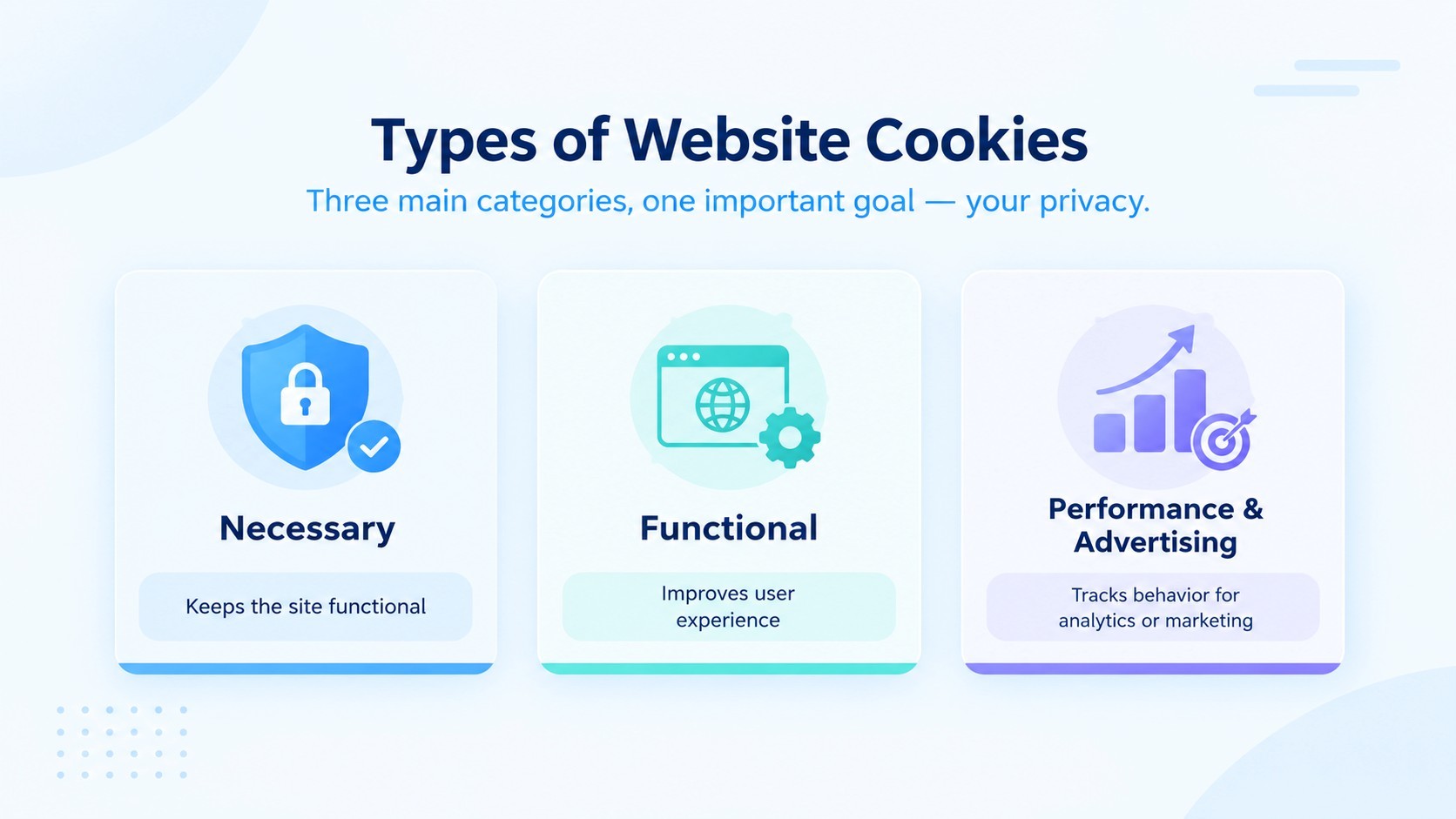
Before proceeding to the discussion of essential versus non-essential cookies, it is important to define the major categories that most websites typically utilize. In general, there are three major types of cookies that are employed by the majority of sites.
| Cookie Type | Purpose | Example |
|---|---|---|
| Strictly necessary Cookies | Keep the site functional | Login sessions, shopping cart, security tokens |
| Functional Cookies | Improve user experience | Language preference, saved settings |
| Performance and Advertising Cookies | Track behavior for analytics or marketing | Google analytics, ad retargeting pixels |
The first category is strictly necessary cookies that are always required to ensure the proper functioning of a website. Functional and performance cookies fall under the umbrella of non-essential ones, but this classification might depend on the specific website and its requirements. Thus, when assessing the status of essential and non-essential cookies, each case should be considered separately.
In some companies, the status of analytics cookies is often assumed to be safe and does not require additional consent from the user. However, this perception is incorrect, since, according to the majority of privacy laws, such cookies should also be subjected to consent-based regulation if they are not marked as necessary for the functioning of a website.
Which Cookies Are Strictly Necessary?
Strictly necessary cookies are cookies which are required for websites to perform their core functionalities. They do not require the user's consent since they enable the basic operation of the site that the visitor has requested.
Some common examples of these include session, cart, load balancing, security, and consent-memory cookies. The table below shows their description and purpose.
| Cookie Example | What it does | Why It's Essential |
|---|---|---|
| Session Cookie | Keep a user logged in while browsing | Site cannot maintain a login state without it |
| Shopping Cart Cookie | Remembers items added during checkout | Checkout would fail or reset without it |
| Load-balancing Cookie | Routed traffic to the correct server | Keeps the site stable under heavy traffic |
| Security/fraud Cookie | Detects bots and blocks suspicious activity | Protects the site and users from attack |
| Consent-memory Cookie | Remembers a visitor's cookie choice | Prevent the banner from reappearing every visit |
From the descriptions, it is evident that even the cookies used by consent banners are strictly necessary. This is so because their removal renders the banner useless, thus, users cannot be able to give or withdraw consent.
The test that determines whether a cookie is strictly necessary is whether a website's core functionality ceases to operate if the cookie is not present. If the function only operates when a cookie is present, it qualifies as a strictly necessary cookie. Otherwise, it is deemed non-essential.
Essential vs Non-Essential Cookies: What’s the Difference?
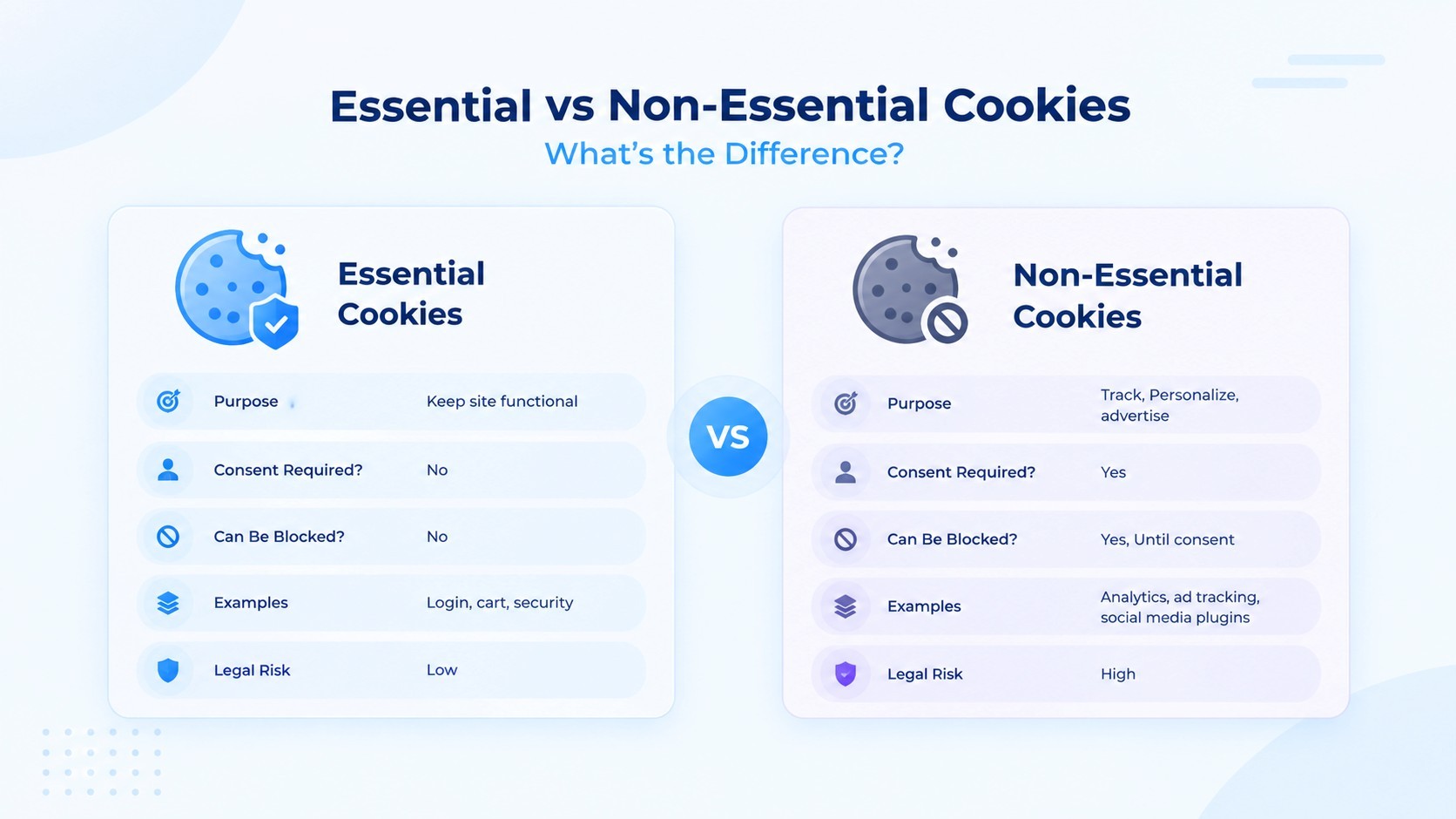
Now let's sum it all up. The essential versus non-essential cookies comparison can be found in the differences in their purposes, requirements for consent, and the ability to use them.
| Factor | Essential Cookie | Non-Essential Cookie |
|---|---|---|
| Purpose | Keep the Website functional | Track, Personalize, advertise |
| Consent Required? | No | Yes |
| Can Be Blocked? | No, without breaking the site | Yes, Until Consent is given |
| Examples | Login, cart, security | Analytics, ad tracking and Social media plugins |
| Legal Risk If Mishandled | Low | High |
The necessary cookies are applied automatically as they are the basic functioning of any website, while the non-essential cookies require a user's consent to activate.
The essential versus non-essential cookies differences are particularly important for websites that are subject to strict data protection laws. If a company that uses non-essential cookies doesn't get the user's permission to use them before placing it on their device, they could be penalized. That is true even if the site gets the permission later when asking for consent to place non-essential cookies. Companies have to be aware of both necessary and non-essential cookies as they could affect the business in different ways. They could either turn away potential clients in the form of intrusive cookie banners or become a target of regulators for violating the privacy laws.
How to Block Cookies Until Users Give Consent
Displaying a cookie banner is not enough to guarantee compliance. If your scripts still load by default on page views before a user consents, you are failing to comply with cookie laws. A cookie banner is just a popup.
The proper way to ensure compliance is “prior-script blocking.” In other words, do not allow any non-essential cookies or trackers to load before consent. This is the practice of blocking tracking cookies by default and only allowing them to load after a user’s consent. This is, without a doubt, one of the most under-discussed elements of cookie compliance.
Most businesses make this mistake when trying to comply with cookie laws:
- You have to identify them; you can’t block what you don’t know is there. A cookie and tracker scan of your site will help you identify everything that loads on your website.
- You have to organize them by category. You must classify each cookie or tracker as either essential, functional, or related to advertising or analytics.
- To make sure that non-essential scripts are blocked by default using your consent technology (or another blocking layer). This is usually done with JavaScript that prevents scripts from running before consent.
- You must continually test your site to make sure that all trackers are blocked by default. New plugins and trackers can get added to sites, so regular scans are critical in ensuring complete compliance.
- You should make sure that your cookie consent solution respects Global Privacy Controls (GPC), which are built into some browsers.
This is what solutions like ConsentX do to ensure cookie compliance. Instead of simply using a cookie banner, you have to make sure that cookies only load after consent has been given.
How to Manage Non-Essential Cookies
Managing non-essential cookies is an ongoing process, not a one-time setup. Here's how businesses keep it under control.
Start with clear categorization. Group your non-essential cookies into categories like analytics, advertising, and social media, so visitors can choose which ones to allow instead of an all-or-nothing decision.
Keep your cookie policy updated. Every time you add a new tool, plugin, or ad network, your cookie list changes. Your privacy notice should reflect this in real time, not once a year.
Respect regional differences. A visitor in the EU may need a stricter opt-in experience under GDPR, while a visitor in California might expect an opt-out model under CCPA. A geo-aware rule engine can automatically apply the right consent experience based on visitor location, without you rebuilding your banner for every region.
Keep records of every consent decision. If a regulator asks you to prove that a visitor consented, you need timestamped, tamper-evident records, not just a memory of what your banner used to say. Consent receipts that log the policy version, timestamp, and visitor decision make this far easier during audits.
Re-request consent when needed. If your cookie policy changes significantly, or enough time has passed, ask visitors again. Old consent doesn't always cover new tracking behavior.
Handle opt-outs properly. If a visitor withdraws consent, non-essential cookies already placed should stop collecting data going forward. This needs to be enforced automatically, not manually.
Managing essential vs non-essential cookies well isn't about ticking a legal checkbox. It's about building a consent process that scales as your website, your regions, and your regulations evolve.
Conclusion
The current guidelines regarding the essential and non-essential cookies are no longer optional for website owners. They directly impact the privacy settings of the users, the liability of the website owner, and the level of trust from the visitors. Cookies which are essential allow the website to function correctly, while the non-essential cookies require consent from the visitors before they can be registered on the device.
Thus, taking action on the recommendation is critical for websites. It will also help them ensure that they do not use third-party cookies without permission, comply with local laws and regulations, and demonstrate the proof of consent from visitors. All this is complicated and time-consuming, especially when dealing with multiple jurisdictions.
Ensure compliant cookie consent with ConsentX. Manage permissions, block non-essential cookies, and maintain clear consent records.