
Introduction
All the websites that you visit leave behind some digital footprints in the form of small files called Cookies. These cookies help the websites recognize you as an authenticated and logged-in user, and save your preferences such as the language of choice, your items in the cart, and your browsing history. However, most website administrators have no idea about the list of cookies and tracking scripts that are active on their website. This could put them at risk of legal repercussions as laws like GDPR, CCPA, and the new DPDPA in India make it mandatory for website owners to have a detailed knowledge of the cookies and trackers that are being used on the website.
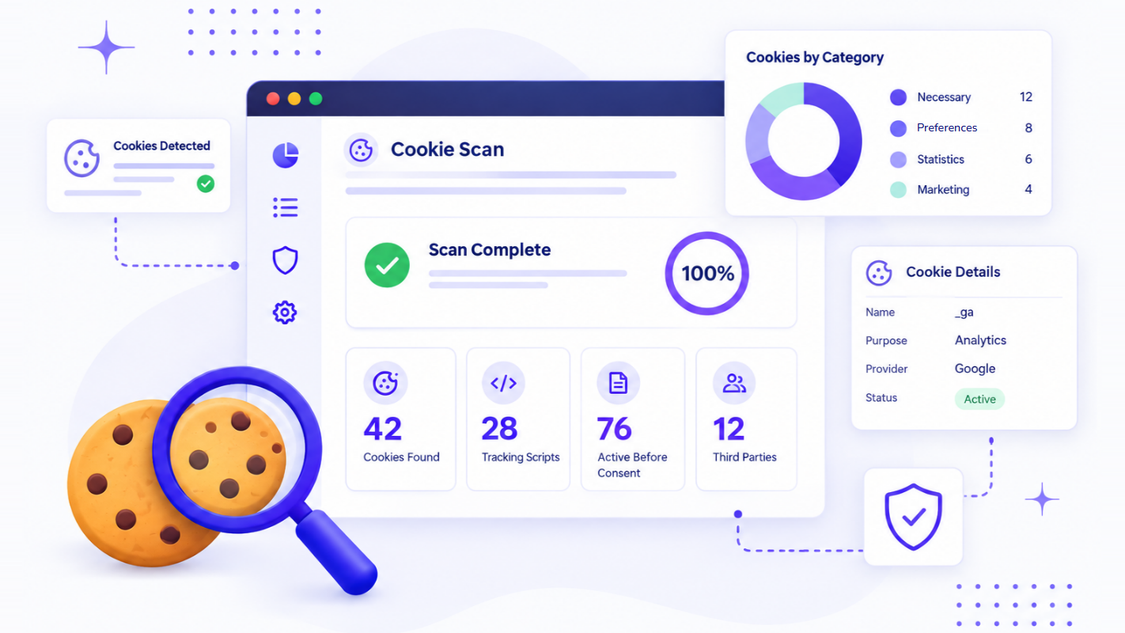
A cookie scan helps you identify all the Cookies and Trackers that are active on your website. In addition to this, it provides you with a detailed list of what each cookie is used for, who is using it, and whether it is active before the user consents to its presence. Any site administrator must run a cookie-scan regularly to ensure that they do not face any legal issues due to unauthorized data collection on their website.
What Is a Cookie Scan and How Does It Work?
A cookie scan is an automated scan of your site that mimics the page opening process in a browser, collecting each cookie, tracker, pixel, and script that’s fired.
How the scan works:
- The scanning tool goes through all of your web pages one by one.
- It watches the page load in the browser, mimicking the behavior of a regular browser.
- All cookies that are set in the process are collected and categorized by domain, expiry date, and purpose.
- The tool detects scripts that contain third-party trackers, pixels, or any other analytics.
- All of these are sorted into categories necessary, functional, analytics, marketing, etc.
Some cookie scanning tools will go through all of the pages on your site automatically, while others will require you to enter each URL individually. Either way, the result will give you an accurate insight into your website’s background activities.
Website owners that have used a cookie scanner often report being surprised or even horrified by the result. Tracking pixels, embedded videos, and marketing widgets can contain dozens of third-party scripts that aren’t visible otherwise.
Why Is a Cookie Audit Important?
A cookie audit is necessary for the following three reasons:
Legal compliance Existing data protection and privacy laws of various countries require that information about the use of tracking tools on websites be provided to visitors. Moreover, it is necessary to comply with the requirements for obtaining consent to use both non-essential and essential cookies. The failure to provide the necessary disclosures and obtain consent may lead to the imposition of sanctions and complaints from users. Depending on where your visitors are located, this may include privacy laws such as GDPR, CCPA, and DPDPA.
Trust Users are highly concerned about privacy and do not want their personal data to be collected and used without consent. Disclosure of privacy information builds trust and, conversely, the lack of it can cause users to lose confidence.
Site performance An audit may identify abandoned tags, i.e., pieces of code that have remained on the site after the tool has been decommissioned. Such tags slow down the loading of web pages, so deleting them improves performance.
Here’s the condensed version of the critical insights:
| Risk Area | What happens without an audit |
|---|---|
| Legal Exposure | Fines, Warning letters, regulatory Complaints |
| Visitor Trust | Visitors Feel Tracked Without Permission |
| Consent Accuracy | Your banner doesn't match real activity |
| Site Speed | Unused Scripts and tracking files slow down pages |
| Vendor Risk | Third-party scripts set tracking data you never approved |
An independent website security audit is the only way to know what exactly is happening on your website.
Read More: What is cookie compliance? A complete guide
How to Scan Cookies on Your Website
Running the audit does not require much effort. All actions are simplified and doable by almost any website owner.
Following are the seven steps for scanning cookies and trackers on a website:
- Set the scanning method There are several scanners available for free, including extensions or online scanners. These scanners utilize either the free API or a browser’s developer tools. The easiest solution is to use a free scanner that does not require users to set up an account. For instance, the ConsentX tool provides a free scanner for cookies and trackers that analyzes the website’s public pages to detect all the active triggers before consent.
- Begin scanning with the homepage as it has the highest number of third-party scripts.
- Continue scanning the website’s primary pages, including the checkout page, contact form, blog articles, and landing pages. The different pages may have other scripts and technologies that are not present on the homepage.
- The next step is to review the list of cookies and data collected on the website. In most scanners, this information is presented in a table with columns for category, name of the cookie, domain, and expiry date. At this moment, it is required to separate the cookies and trackers into categories and mark all the items that belong to the website’s own domain. This information can also help them check if their cookie practices match the applicable privacy laws such as GDPR, CCPA, and DPDPA.
- The website owners should pay attention to the timing or the exact moment when a script is triggered. This step is often missing or performed incorrectly resulting in extra cookies and trackers. Website owners should verify that all the cookies and trackers that do not provide an essential service are inactive before the page is loaded.
- The sixth step is to collect all the information on cookies and trackers detected on the website. This data will be used to prepare the privacy policy and set up the website’s consent solution. All the items should have a description, category, and origin (first-party or third-party).
- The scanning process should become a regular procedure as there is always a possibility of introducing new cookies and trackers. Some changes may be incorporated without the website admin’s awareness due to the use of plugins, advertisements, and various third-party modules.
10 Effective Ways to Scan Website Cookies
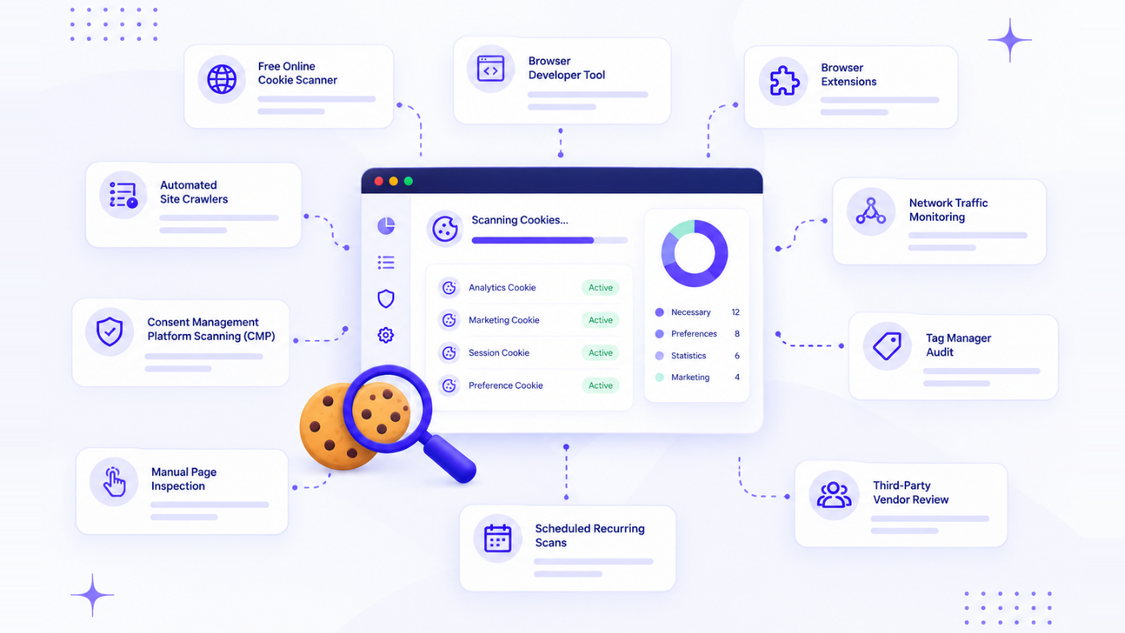
There is more than one way to execute this scan. Here are 10 ways that are good to know.
| Method | What it does |
|---|---|
| Free Online Cookie Scanner | Tools like the ConsentX Cookie scanner check your public pages and list what's running, no account needed. |
| Browser developer tool | Every modern browser lets you inspect stored data directly through its built-in inspector |
| Browser extensions | Inspector extensions show what's set in a simple, readable format as you browse |
| Automated site crawlers | These tools scan your entire website, page by page, and build a full inventory |
| Consent management platform scanning (CMP) | Many CMPs, including ConsentX, include built-in scanning as part of the consent setup process |
| Manual page inspection | For small sites, you can open each page and check what's stored by hand |
| Network traffic monitoring | Tools that watch network requests can reveal data set by scripts that load in the background |
| Tag manager audit | If you use Google Tag Manager, reviewing your tags shows you which ones might be setting tracking data |
| Third-party vendor review | Ask every vendor and plugin provider what their code sets on your pages |
| Scheduled recurring scans | Set up automatic scans on a weekly or monthly basis so new trackers don't slip through unnoticed |
A combination of any two or three of them is optimal, as a scanning tool only finds out what is there, but a manual inspection will help to understand why it's there.
Different Methods for Scanning Website Cookies
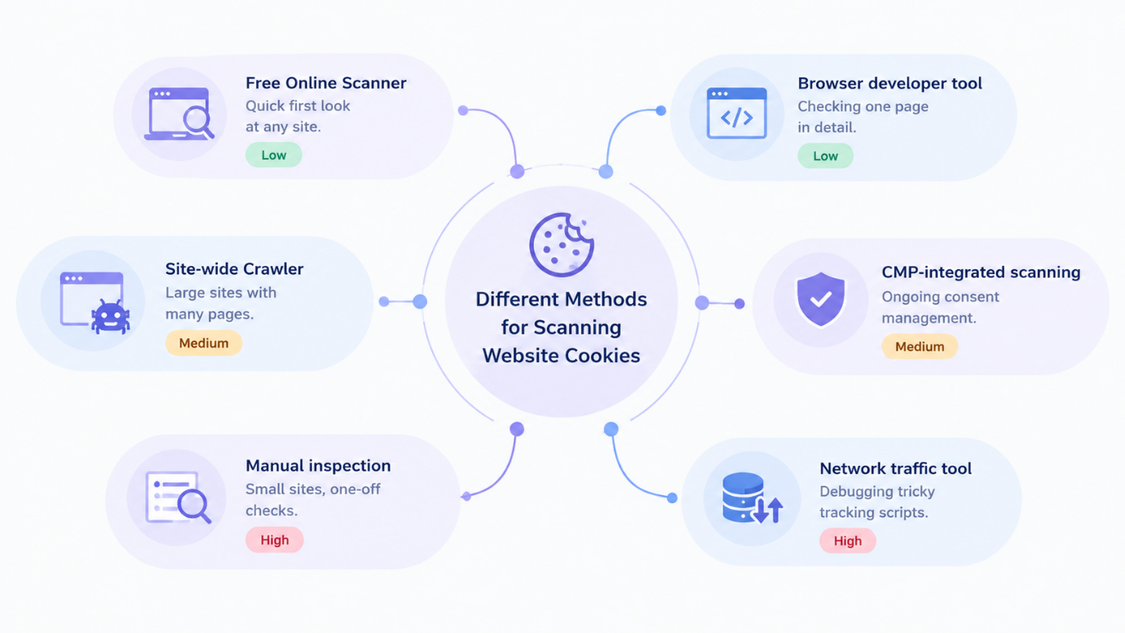
Not all scanning methods are created equal. Here's a look at the different approaches and when to use them.
| Method | Best For | Effort Level |
|---|---|---|
| Free Online Scanner | Quick first look at any site | Low |
| Browser developer tool | Checking one page in detail | Low |
| Site-wide Crawler | Large sites with many pages | Medium |
| CMP-integrated scanning | Ongoing consent management | Medium |
| Manual inspection | Small sites, one-off checks | High |
| Network traffic tool | Debugging tricky tracking scripts | High |
Automated scanning is the fastest method for any business, allowing it to process dozens or hundreds of pages and find trackers that weren't even suspected. It's ideal for ecommerce, SaaS or content publishers with a large website.
Manual scanning has its place too. It's needed to research how one specific tracker works or to troubleshoot a consent issue on one page.
Ongoing scanning from a consent platform is what most companies are using. It allows to both detect trackers and enforce consent, and is done via a dedicated solution such as ConsentX.
How to Review and Act on Your Cookie Scan Results
Finding tracking activity is only half the battle, the other half is knowing what to do with the information. Here's what should be done next.
Categorize each cookie you've found. Most audits use some variation of the following four categories:
- Necessary Required for the site to function, such as login session or shopping cart.
- Functional Improve the experience, like remembering language settings.
- Analytics Measure traffic and behaviour such as Google Analytics.
- Marketing Used for ads and retargeting.
Check when consent is being requested Necessary cookies should be exempt from blocking, while all others must have consent before being loaded on a visitor's machine.
Delete any cookies that are not needed Old bits of code for plugins that haven't been used in years and analytics code that has been replaced are common finds in cookie scans. Any script that is not actively being used should be deleted along with its tracking code.
Update your cookie policy The published version on your website should always reflect exactly what categories have been found during the scan.
Update your cookie banner Your website visitors should only be asked to consent to what was found during the scan. If analytics or marketing code is firing before consent, it will need to be blocked by a prior-script-blocking script.
Rescan your website After making updates, make sure everything works properly by performing another scan.
Common Cookie Audit Mistakes to Avoid
Even the most thorough teams can make mistakes while performing this procedure.
Listed below are some of the common errors related to website tracking audits that one must avoid.
- Scanning the main page only While the homepage is usually the largest single page on a website, other pages may also have unique scripts and tracking technologies.
- Not taking into account third-party trackers Cookies and tracking scripts embedded by third-party services that provide video, chat, advertising, and other functions are also present.
- Not understanding that it is an ongoing process Sites change, and their tracking technologies change as well, so the audit has to be done repeatedly.
- Not analyzing the timing of the script The list of trackers obtained does not indicate whether they appear on the page before or after the user consents.
- Using a blanket privacy policy The privacy policy found on a site should reflect the findings of an audit, which implies that it should be customized.
- Not scanning websites on mobile Mobile site versions typically have different scripts and may collect different data.
- Not scanning subdomains Blogs, forums, and shops attached to the main domain exist on separate subdomains and may require a separate scan.
- Not consulting with the dev and marketing departments These units often add new tags and scripts that the privacy team is not aware of.
Avoiding these pitfalls will ensure that a website tracking audit is performed thoroughly and actually improves privacy compliance rather than simply being completed for the sake of fulfilling this requirement.
Best Practices for Conducting a Cookie Audit
Schedule regular scans of cookies to ensure compliance, with intervals of no more than a quarter or a month. A single audit is not enough since websites are constantly being updated, and new cookies may be added without anyone noticing.
Create an inventory list of all the cookies found during the scan. This list should be updated every time new cookies are discovered, and it should include information about each cookie’s purpose, category, domain, and expiry date.
The best way to minimize the number of necessary cookies is to utilize the prior-script blocking method. This way, all the undesirable cookies, which would be otherwise necessary to guarantee the functionality of the website, will only be added to a user’s device after they consent to their storage on their computer. Since the users of the website may be located all over the world and subject to different privacy laws, it may be useful to utilize a geo-aware rule engine to help recognize the laws of the user’s location.
Remind the developers and the marketing team that any new scripts or plugins require a cookie audit before their installation on the production environment. To ensure the accuracy and reliability of data, it may be helpful to combine automated scans and audits with manual testing and update the scan results every time the website is updated.
Conclusion
Running a cookie scan isn't just a compliance formality. It's how you actually know what your website is doing with visitor data. Start simple: scan your key pages, sort what you find into clear categories, and fix your consent banner and privacy policy to match reality.
Make scanning a regular habit, not a one-time event. Tools like ConsentX combine scanning with consent management and prior-script blocking, so you're not just finding cookies, you're controlling them properly, region by region, law by law.
Want to simplify cookie compliance? Try ConsentX today.