
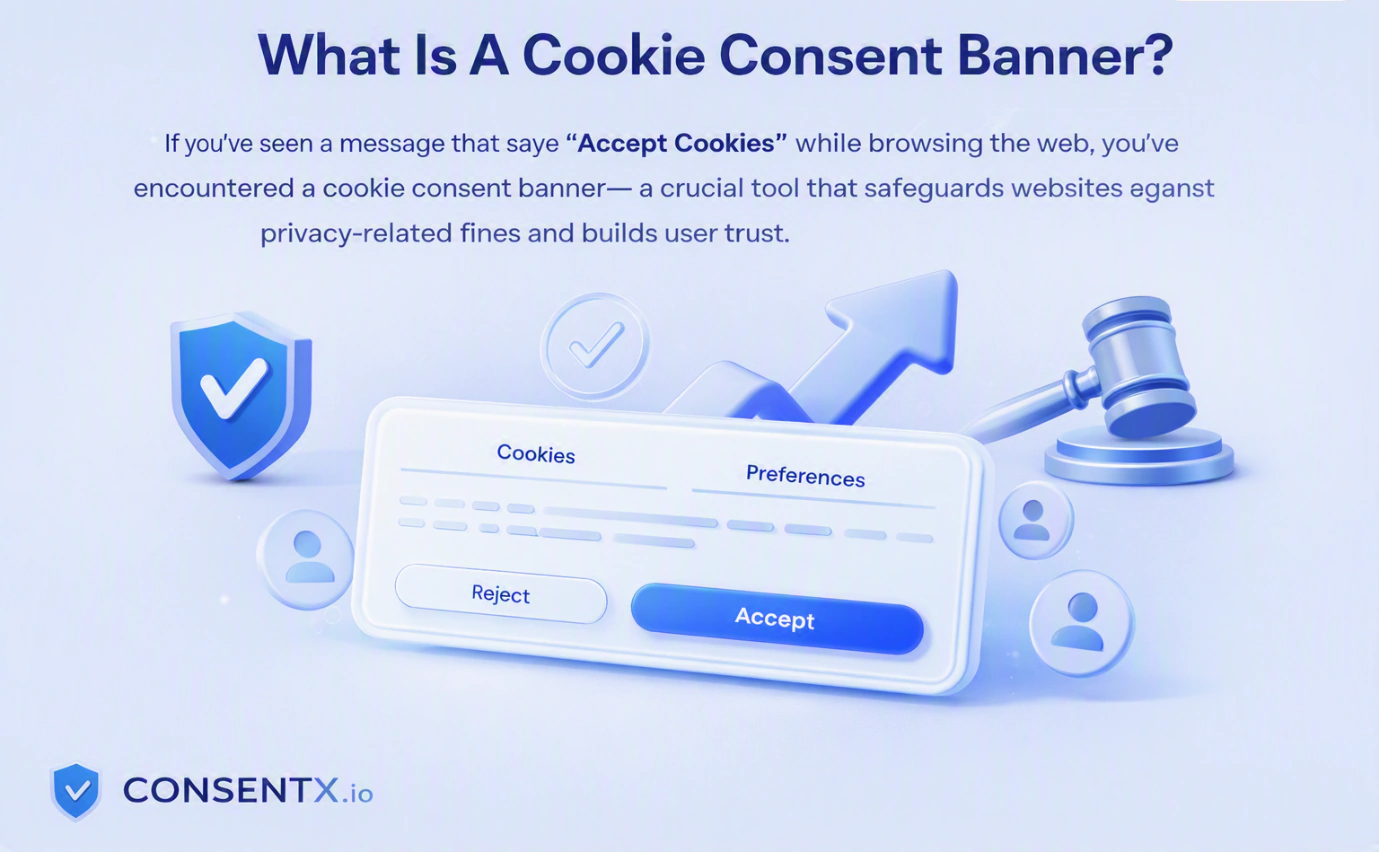
If you’ve ever moved through the web and noticed a message that says “Accept Cookies,” you’ve just come across the cookie consent banner. Although it seems very simple, at the same time it can be of much legal importance to site owners.
The cookie consent banner is not just a simple icon; it is the first connection between your site and privacy violation. If you have any kind of a web page, be it a blog or a store, this small icon keeps you safe from being fined or losing clients’ trust.
This article is going to tell you what a cookie consent banner is, what functions it performs, what types of consent banners exist, what rules one should follow when creating a consent banner, and what steps one should take to place one on the site.
What Is A Cookie Consent Banner
If you have visited the Internet and encountered a notice announcing, "Accept Cookies", you have stumbled upon the cookie consent banner. Although the cookie consent banner appears to be a trivial aspect on the surface, it has a great deal of legal significance for website operators.
Cookie consent banners serve as more than simple icons. They are essential communication platforms for webmasters and users alike. Regardless of whether you have a blog or a commercial platform, that small icon will keep you from being fined for the misuse of personal information.
This article is meant to clarify cookie consent banner features and functionality, enumerating the banner types, rules of making a banner, and techniques for placing the latter on a website.
How Does A Cookie Consent Banner Works
The cookie consent banner follows a simple and straightforward process. Let's check the process behind the scenes when a visitor comes to your site.
1: The banner loads prior to activating any cookies
An effective cookie consent banner prevents the operation of any non-essential cookies until a decision is made by the user. This means that all analytics tools, tracking scripts and pixels will be inactive until approval is obtained.
2: The notice is displayed to the user
The banner will usually appear at the bottom/top of the screen or in the middle of the page. It will explain that the site needs to use cookies and offer several options for the visitor such as "Accept All", "Decline All" or "Manage Preferences".
3: The user provides his/her choice
If the proper choice is made, the site will either enable cookies, reject them or give the user the chance to select only necessary cookies, such as analytics or marketing cookies.
4: Keeping consent registration
The cookie consent tool captures user consent and keeps a timestamp. This is a record of consent necessary for most privacy regulations.
5: Respecting consent:
Once a user makes a choice, the cookie consent tool automatically saves this information. Therefore, the user does not have to repeat this decision every time he wants to visit the website.
Thus, this process helps to keep websites compliant and free to take the necessary actions.
Different Type Of Cookie Consent Banner
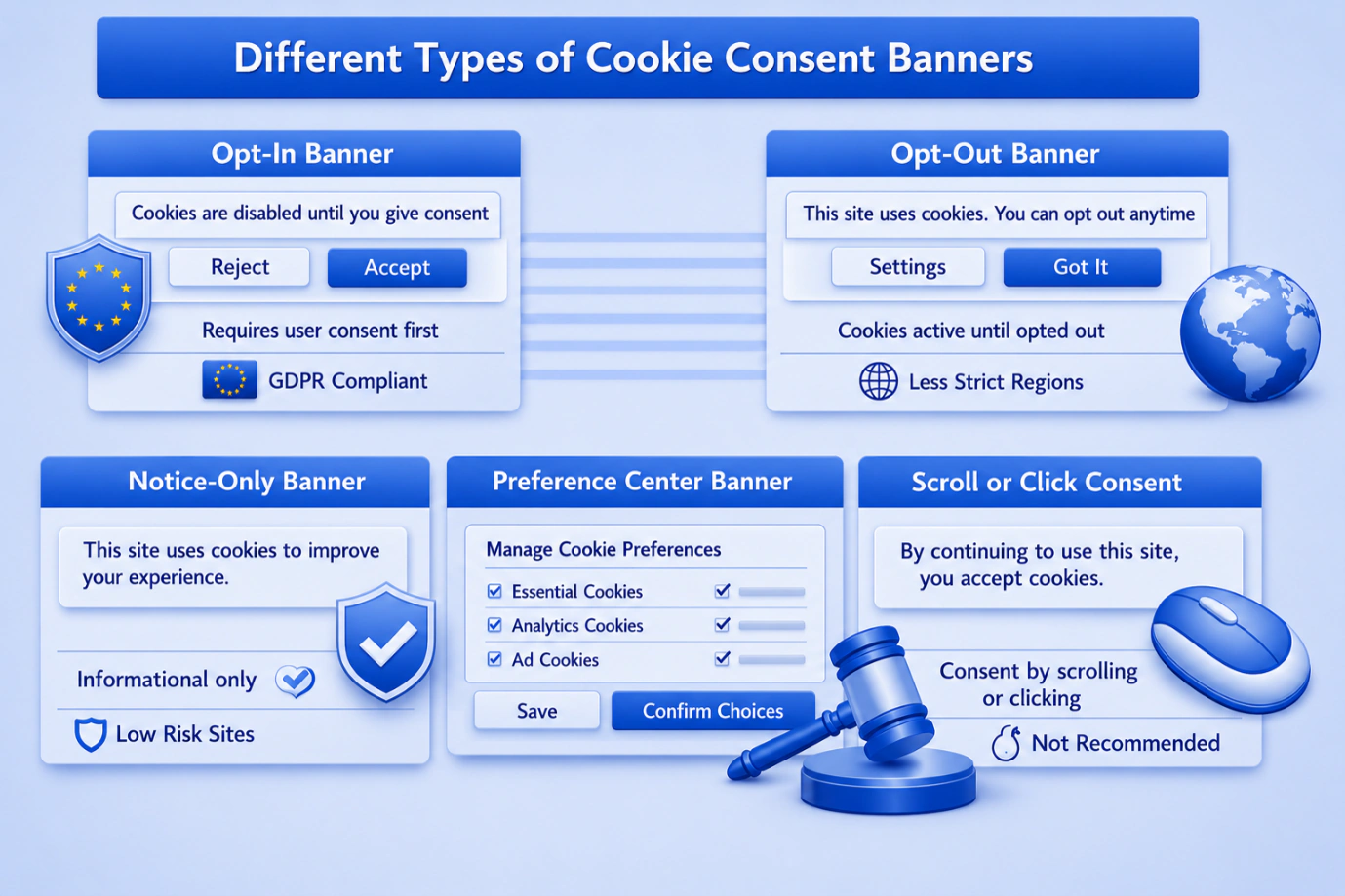
Not every cookie consent banner is the same. The type of banner you select depends on your target audience and the related legal obligations you have as to how rigorous the entire consent collection process will be.
| Type | Description | Best For |
|---|---|---|
| Opt- In Banner | Cookies will be inactive until consent has been received from the website user | Websites dealing with EU users (GDPR compliant). |
| Opt-out Banner | Cookies will be operational from the start but users have an option to switch them off | Regions with not strict cookie regulations. |
| Notice-only Banner | Tells users that cookies are used in the process, yet no action is necessary | Sites with a low risk of violation. |
| Preference Center Banner | Allows users to choose the exact type of cookies to agree to | Companies that use multiple third-party trackers. |
| Scroll Or Click Consent | Scrolling or clicking will be considered as an agreement | An old-school method that is now not recommended under GDPR. |
Each cookie consent type is characterized by different legal strengths. An opt-in cookie consent banner is viewed as the best option due to it providing users with full control over the tracking process.
Different Cookie Banner Style
While cookies' consent banners differ in terms of function, they also differ in terms of visual presentation. The design you choose will determine how effective the banner is and the experience users will have.
| Style | Placement | User Experience |
|---|---|---|
| Bottom Bar | Fixed Strip Across The Bottom Of The Screen | Least Intrusive, Easy To Ignore |
| Top Bar | Fixed Strip Across The Top Of The Screen | Visible But Feel Like An ad |
| Center Modal (Pop-up Box) | Middle Of The Screen, Of With a Dimmed Background | Hard To Miss, Forces a Decision |
| Corner Box | Small Box In Screen Corner | Subtle, Works Well On Desktop |
| Full - Screen Overlay | Cover The Entire Page Until Action Is Taken | Strongest Compliance, But Can Frustate Users |
Choosing the right style is a balance. A full-screen overlay gets stronger consent proof, but it can hurt the user experience. Many websites now use a center modal or bottom bar style because it keeps the site usable while still asking for clear permission.
Cookie Banner Compliance Requirement
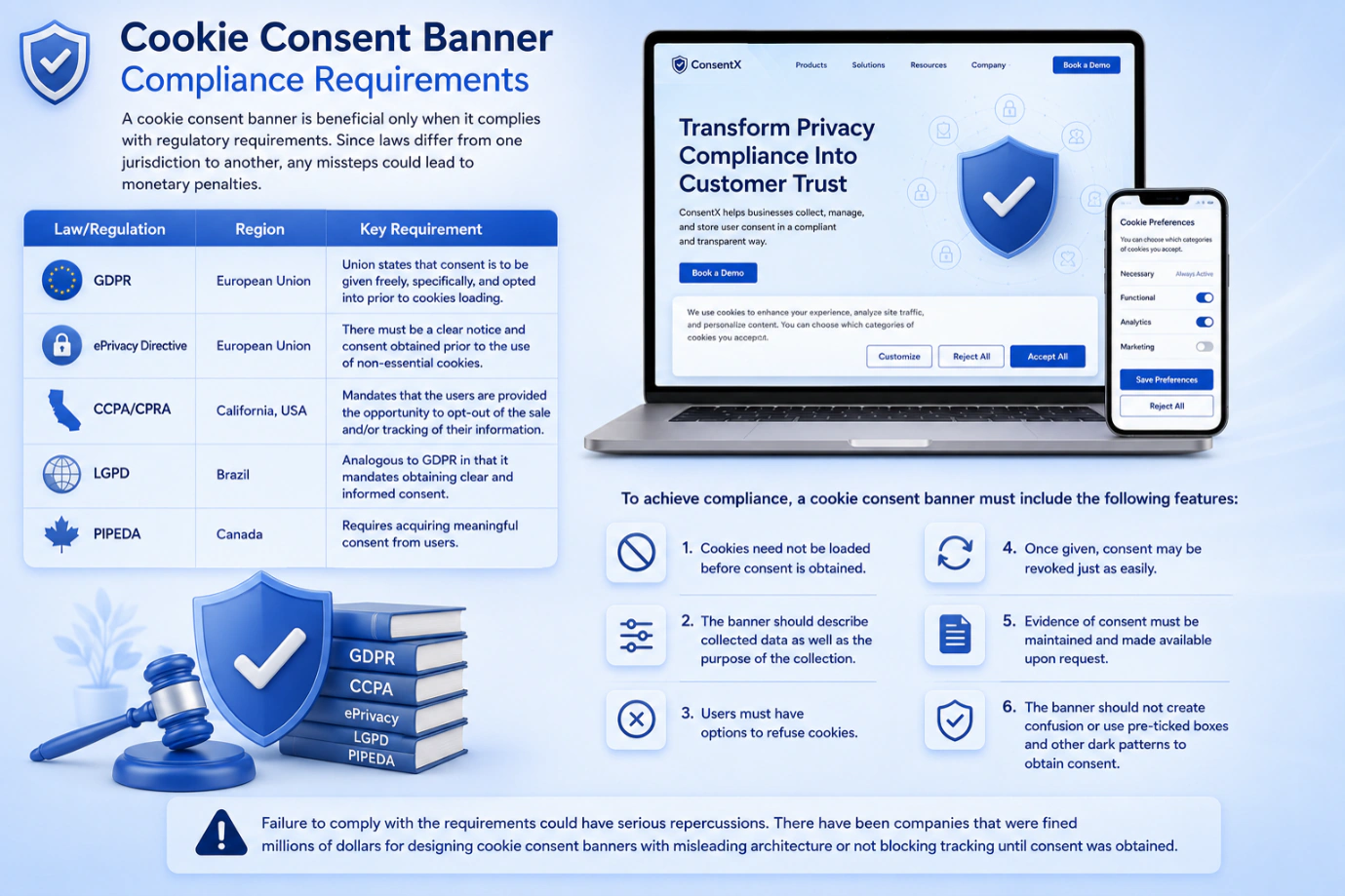
A cookie consent banner is beneficial only when it complies with regulatory requirements. Since laws differ from one jurisdiction to another, any missteps could lead to monetary penalties.
| Law/Regulation | Region | Key Requirement |
|---|---|---|
| GDPR | European Union | Union states that consent is to be given freely, specifically, and opted into prior to cookies loading. |
| ePrivacy Directive | European Union | there must be a clear notice and consent obtained prior to the use of non-essential cookies. |
| CCPA/CPRA | California, USA | mandates that the users are provided the opportunity to opt-out of the sale and/or tracking of their information. |
| LGPD | Brazil | analogous to GDPR in that it mandates obtaining clear and informed consent. |
| PIPEDA | Canada | requires acquiring meaningful consent from users. |
To achieve compliance, a cookie consent banner must include the following features:
- Cookies need not be loaded before consent is obtained.
- The banner should describe collected data as well as the purpose of the collection.
- Users must have options to refuse cookies.
- Once given, consent may be revoked just as easily.
- Evidence of consent must be maintained and made available upon request.
- The banner should not create confusion or use pre-ticked boxes and other dark patterns to obtain consent.
Failure to comply with the requirements could have serious repercussions. There have been companies that were fined millions of dollars for designing cookie consent banners with misleading architecture or not blocking tracking until consent was obtained.
Does Your Website Needs A Cookie Consent Banner
A number of website administrators often ask themselves about the necessity of a cookie banner shown on their resource. The answer is simple: you need to have one if cookies are being used on the site and you are visiting from certain countries.
The following points will help you determine whether you need a cookie policy on your site:
- Google Analytics or other traffic measurement services are employed and cookies are used in order to observe the visitors’ behavior.
- You are using ads or retargeting pixels such companies as Google or Meta use cookies widely.
- Visitors from the EU, UK, or California visit your website, as these regions are in the list of jurisdictions where cookie regulations are severe, and apply to other regions’ websites as well.
- You make use of shopping carts or log-in systems although some of the cookies in this case are required, you should still let the users know that they are being used.
- You integrate third-party materials for instance, YouTube videos or social media widgets can set their own cookies.
In case your website includes any of the above-mentioned, using a cookie consent banner becomes a legal must. This also relates to blogs and sites for portfolios that attract users from different countries, as one way or another, they can fall under the regulation.
Thinking that not using the cookie consent banner is an innocent act, you may actually annoy people and earn scandals, penalties, and never-ending processes.
Steps To Create Cookie Consent Banner
While tracking down legal loopholes in terms of compliance can be tricky business, even those site operators who mean well may go wrong in implementing cookie consent banners. Below are some types of common mistakes to take into account:
- "Yes" boxes that come pre-ticked. The use of pre-ticked boxes has been widely considered one of the most common compliance mistakes made. According to regulations, consent needs to be expressed as an affirmative act, rather than a given characteristic.
- Concealing the reject button. Some cookie consent banners make the “Accept All” option huge and bright while hiding the “Reject” button in very tiny print.
- Using cookies before receiving consent. If there are tracking mechanisms triggered from just opening the page and the consent banner fails to provide necessary information, then whatever form the banner has does not matter because it is already irrelevant.
- The use of vague phrases. Using sentences like “We use cookies with the aim of making your experience better” with no further explanation does not fulfil any of the transparency requirements any regulations set.
- Ignoring mobile users. A banner that appears good on PCs but covers the whole screen on mobile devices can annoy users and negatively affect your bounce rate.
- Not updating the banner regularly. Whenever you use new tools, applications, or ad networks, your cookie list varies. An old cookie consent banner can leave a new tracking program unattended.
By making sure you do not make the above mistakes, you will provide your cookie consent banner with both compliance and usability, which is the ideal combination for every website. Consentx can help you achieve this more easily.
Conclusion
Although a cookie consent banner appears to be a simple popup notification, it plays a very significant part in safeguarding both your website and your visitors. It creates trust and guarantees compliance with data protection regulations, while granting your users more control over their data.
No matter if you opt for an opt-in banner, central-modal-style banner, or full preference center, the main task stays the same: gaining consent in a clear, straightforward and understandable manner. Skipping this process may result in federal fines, but doing it right will establish trust with your audience for the long term.
It is important to mention that there are some tools that make the creation of cookie consent banners simple and quick, so you’ll be able to launch a fully compliant cookie consent banner in a matter of minutes. Get started with ConsentX today and simplify cookie consent management.